Your coding agents. One cockpit.
The open Claude Code GUI for any LLM. Run Claude, Codex, DeepSeek, GLM, Kimi, or local Ollama side by side — with your code, terminal, browser, and databases in one IDE-like workbench.
npm i -g @surething/cockpit && cockpitRuns on your machine. Opens in your browser.
Requires Node 20+MIT licensed
Try the online demoDrag the screenshot sideways to explore the full workspace.
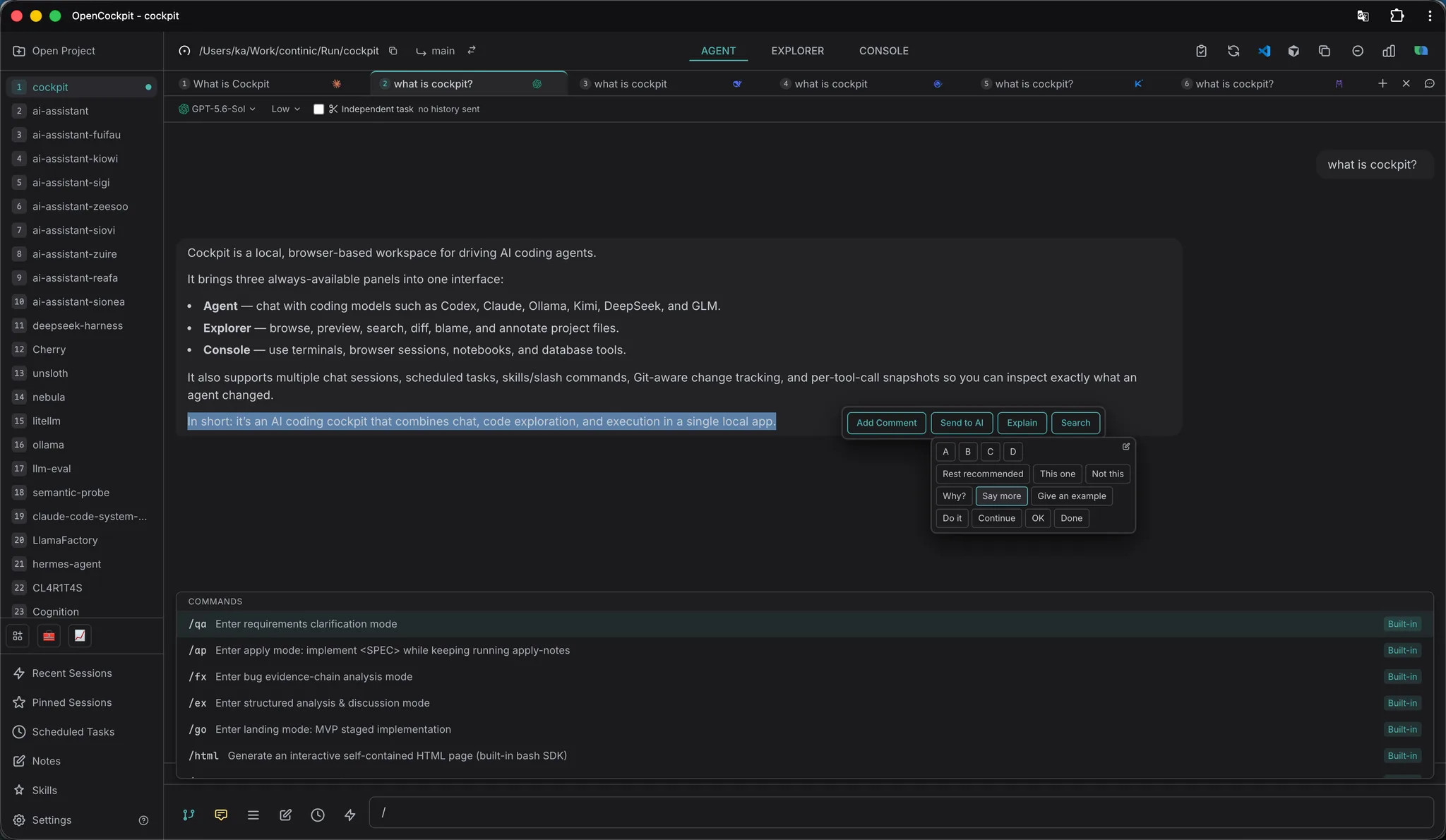
Install OpenCockpit as an app
OpenCockpit runs in the browser and installs like a native app — its own window, its own dock icon, no browser chrome in the way.
- 1Run this command. OpenCockpit starts and opens in your browser.
npm i -g @surething/cockpit && cockpit - 2In Chrome or Edge, click the install icon in the address bar. In Safari, choose Share, then Add to Dock (Add to Home Screen on iPhone).
- 3Launch it from your dock, desktop, or home screen, like any other app.
Bring the agent you already pay for
Claude works out of the box through the official Agent SDK. Codex, DeepSeek, GLM, Kimi and local Ollama each open in their own tab, with their own session history and their own key.
- Claude
- Codex
- DeepSeek
- GLM
- Kimi
- Ollama